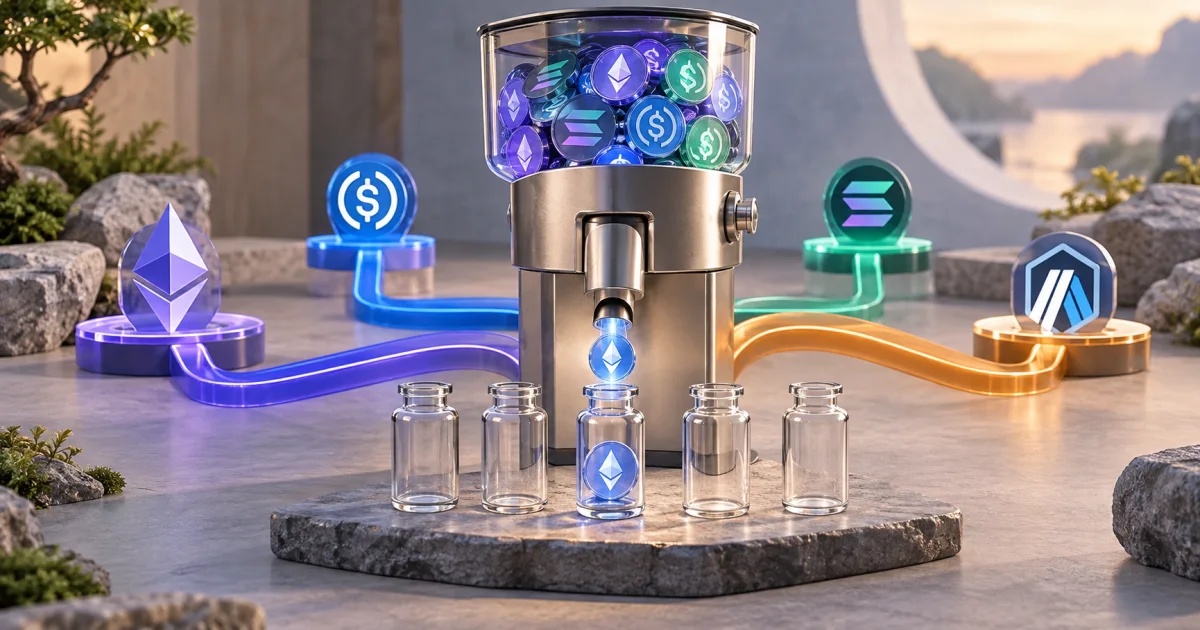
A testnet faucet supplies tokens for a development network. Use the FindUtils Crypto Testnet Faucets directory to find a provider, then check that provider’s current network, token, and claim rules. Test tokens do not represent mainnet funds. The directory does not guarantee faucet availability or a token allocation.
What Are Testnet Faucets and Why Do You Need Them?
Testnet faucets are web services that give developers free cryptocurrency tokens on test blockchains. Test tokens are intended for development. Network settings, liquidity, service support, and performance can differ from mainnet. A successful testnet transaction does not prove a mainnet integration is correct.
You need testnet tokens when:
- Building smart contracts — Deploy and test on Sepolia before mainnet
- Integrating crypto payments — Test x402 or other payment protocols with fake USDC
- Learning blockchain development — Experiment with a dedicated test wallet and test network
- Testing wallet integrations — Verify MetaMask, WalletConnect, and other wallet flows
- QA testing dApps — Run full user flows with realistic token balances
How to Get Free Testnet Tokens (Step-by-Step)
Step 1: Set Up Your Wallet
Install MetaMask (browser extension or mobile app) and create a wallet. Your wallet address works across all EVM testnets — the same address receives tokens on Ethereum Sepolia, Base Sepolia, Arbitrum, and more. Use FindUtils' Crypto Testnet Faucets tool to add any testnet network to MetaMask with one click.
Step 2: Choose Your Network
Pick the testnet that matches your target mainnet:
| Target | Development network | Native token | Verify before claiming |
|---|---|---|---|
| Ethereum | Sepolia | Test ETH | The application's supported network |
| Base | Base Sepolia | Test ETH | Chain ID and any test-token contract |
| Solana | Devnet | Test SOL | Cluster selection in the wallet and CLI |
Use the official Ethereum network guide, Base connection reference, and Solana cluster reference for current network details.
Step 3: Claim Tokens from a Faucet
Visit your chosen faucet, paste your wallet address, and click claim. Provider requirements vary. Check the claim limit, cooldown, sign-in requirement, and supported network on the provider page before requesting tokens.
Step 4: Verify Your Balance
Open MetaMask, switch to the testnet network, and check your balance. For ERC-20 tokens like USDC, you need to import the token contract address — FindUtils' faucet directory provides these with copy buttons for each network.
Step 5: Start Building
Your testnet tokens are ready. Deploy contracts, test transactions, and build your dApp. When you need more tokens, claim again after the cooldown period.
Choose a Faucet for the Required Token
Native Tokens for Transaction Fees
Use the native test token for the selected network. A token with the same name on another network does not pay fees here. For example, Base Sepolia uses test ETH for native transaction fees.
Test USDC
Check Circle's USDC contract address reference before importing a test token. Match the network as well as the address. Do not copy a mainnet address into a testnet workflow by assumption.
A faucet claim is separate from a payment integration. Verify the transaction receipt and application response in your test environment.
Solana Devnet
A Solana CLI airdrop request must select the correct cluster. This command requests an illustrative amount; it does not guarantee the allocation:
solana airdrop 1 --url devnet
Rate limits and service availability can reject the request. Review the response before retrying. Do not change to mainnet just to resolve a devnet faucet error.
When a Faucet Cannot Supply Tokens
An RPC subscription gives access to an endpoint; it does not necessarily provide test tokens. Running a node also does not create a right to unlimited tokens on a shared public network.
For repeatable unit or contract tests, consider a local development chain with controlled test accounts. Keep a separate test on the intended public network for behavior that depends on that environment. Label local balances and fixtures as test data.
Common Mistakes When Using Testnet Faucets
Mistake 1: Wrong Network Selected
MetaMask defaults to Ethereum mainnet. Always verify you've switched to the correct testnet before claiming. Use FindUtils' Crypto Testnet Faucets "Add to MetaMask" button to add networks with the correct chain ID and RPC URL.
Mistake 2: Forgetting Gas Tokens
ERC-20 tokens like USDC require ETH for gas fees. If you only claim USDC but have no ETH on the testnet, you won't be able to send transactions. Always claim native tokens (ETH, POL, AVAX) first.
Mistake 3: Using Testnet Tokens on Mainnet
Testnet tokens have zero value and cannot be transferred to mainnet. They exist only on their respective test networks. Don't confuse testnet USDC with real USDC.
Mistake 4: Sharing Private Keys
Even on testnets, never share your private key or seed phrase. Testnet wallets often share the same address as your mainnet wallet — compromising one compromises both.
Mistake 5: Not Importing Token Contracts
After claiming ERC-20 tokens (USDC, LINK), they won't appear in MetaMask until you import the token contract address. Each testnet has different contract addresses — FindUtils provides these with copy buttons in each faucet's expanded details.
Verify Wallet Network Configuration
For an EVM network, check its chain ID, RPC endpoint, native currency, and block explorer against the operator's documentation. FindUtils can request a network addition through a compatible wallet. The wallet still asks you to review and accept it.
A copied wallet address does not identify the intended chain by itself. Confirm the selected network before signing a transaction. Use a dedicated test wallet so test activity does not expose credentials used for mainnet funds.
Tools Used in This Guide
- Crypto Testnet Faucets — Searchable faucet directory with network details and wallet setup controls
- Base64 Encoder — Encode/decode data for blockchain API interactions
- Hash Comparison Tool — Compare transaction hashes for verification
FAQ
Q1: Are testnet tokens free? A: Faucets provide development tokens under their own rules. Some require sign-in, eligibility checks, or cooldowns. Read the provider page before using it.
Q2: Can I use testnet tokens on mainnet? A: No. Testnet tokens only work on their respective test networks. They cannot be transferred to mainnet or exchanged for real cryptocurrency.
Q3: What's the best faucet for Base Sepolia in 2026? A: Choose a provider that currently supports Base Sepolia and the token you need. Native test ETH and test USDC are separate assets. Confirm the allocation and eligibility on the provider page.
Q4: Do I need real crypto to use testnet faucets? A: Some providers apply mainnet-balance or account checks to reduce abuse. Do not assume all faucets have the same requirements. Use official provider documentation.
Q5: How often can I claim from a faucet? A: The provider sets the limit and can change it. Follow the current cooldown and rate-limit response. The FindUtils directory does not override those rules.
Q6: Is it safe to use testnet faucets? A: Use an official provider and a dedicated test wallet. Never disclose a seed phrase or private key. Review wallet requests; a faucet listing is not a security certification.
Q7: How do I add testnet networks to MetaMask? A: Use FindUtils' Crypto Testnet Faucets tool and click "Add to MetaMask" next to any network. This automatically configures the chain ID, RPC URL, and block explorer. No manual entry needed.
Next Steps
- Crypto Testnet Faucets Tool — Browse all faucets and add networks to MetaMask
- IP Address Lookup — Test x402 pay-per-request with your testnet USDC
- UUID Generator — Generate unique identifiers for smart contract testing
- Hash Comparison Tool — Verify transaction hashes on block explorers